Travel Video Templates — Itineraries, Budgets, Boarding Passes
Travel vlogs are full of practical details that viewers want to remember. Lay out a day-by-day itinerary with the spend for each day, split the trip budget into proportional bars with the cost per person, or check off a packing list by category.
A monthly weather chart shows when to go, a destination card lists currency, language, plugs, visa and tipping, and a boarding pass flies the plane between two airport codes. Badges for distance and duration, local prices, the perfect day, expectation versus reality and what not to pack complete the set. For routes on a map, see the animated maps.
12 templates · 16:9 · 9:16 · 1:1Open them in the library
Step-by-step guide: How to make an animated travel map video
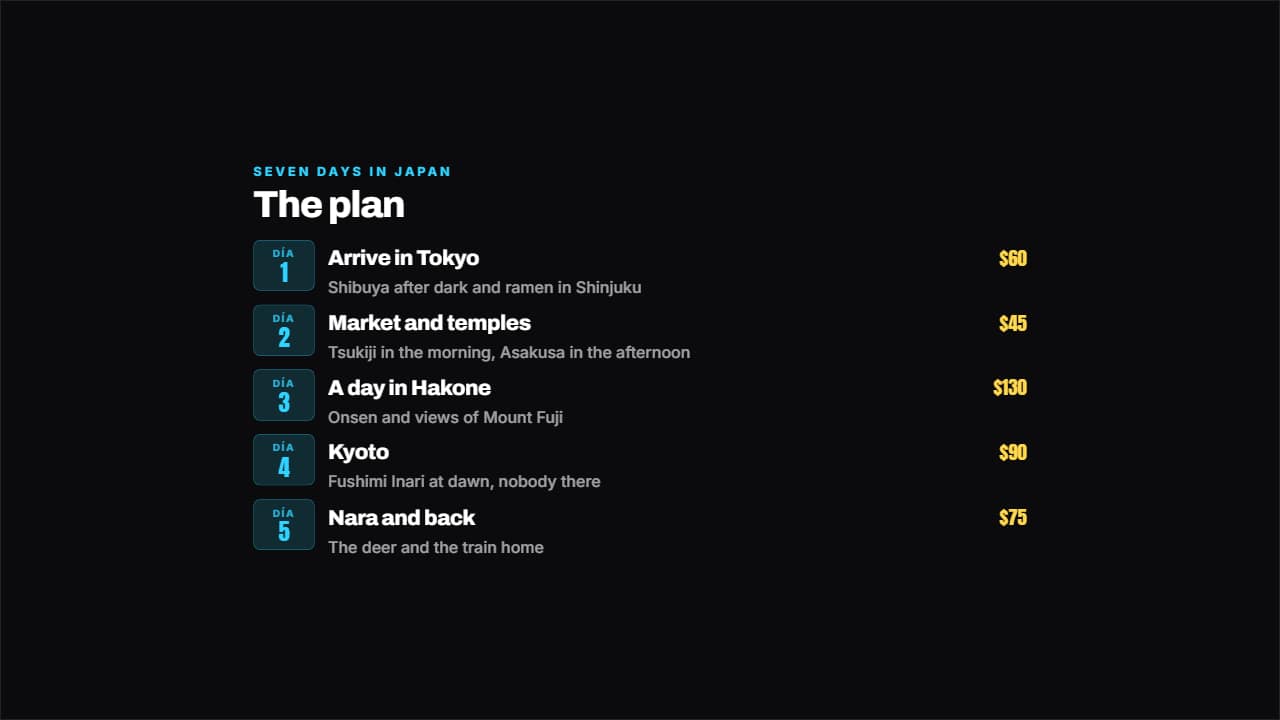 Day by day itineraryEach day on its badge, with the plan beside it and the spend on the right if you want it.
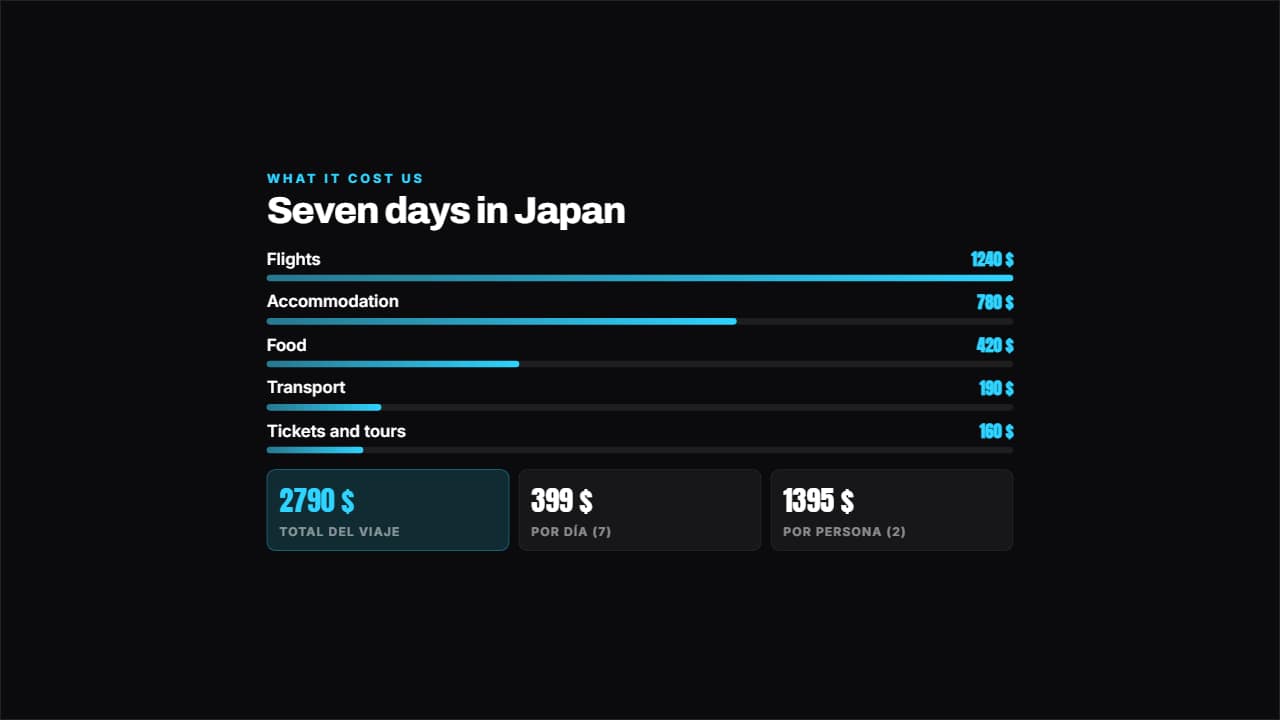 Trip budgetThe items in proportional bars and, underneath, the total with cost per day and per person worked out for you.
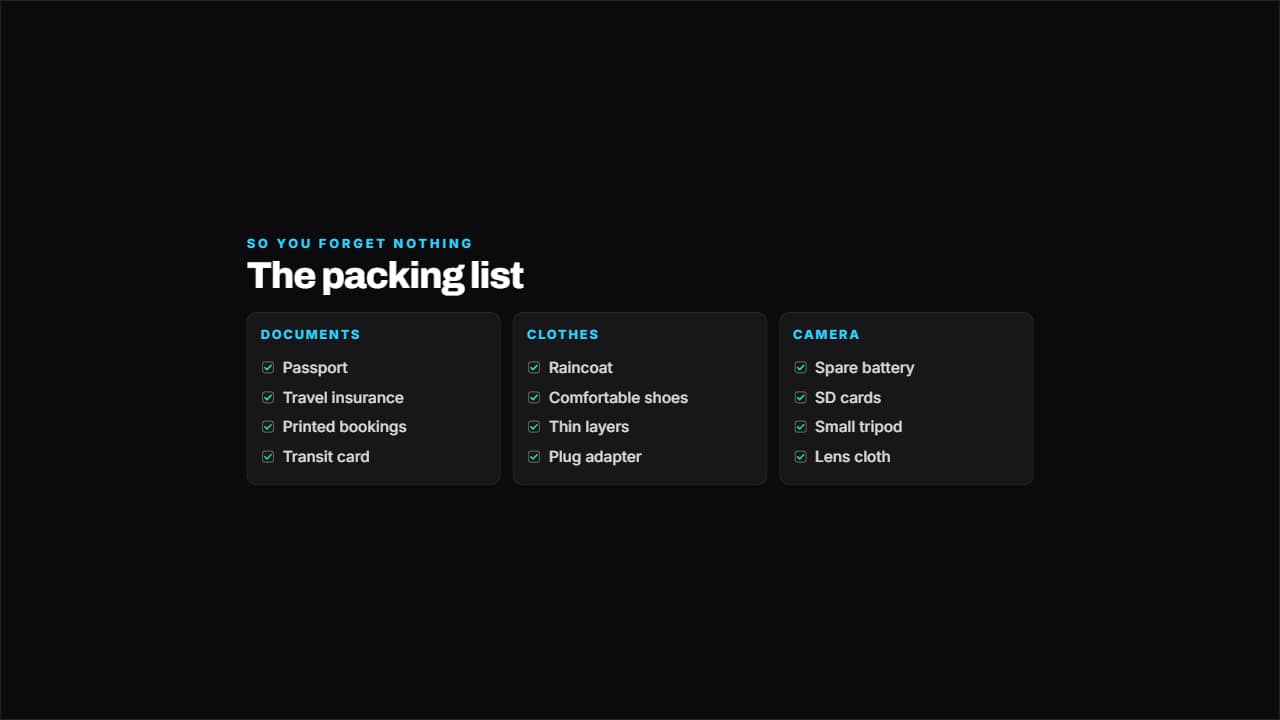 What to packThe packing list by category across several columns, with the boxes ticking one by one.
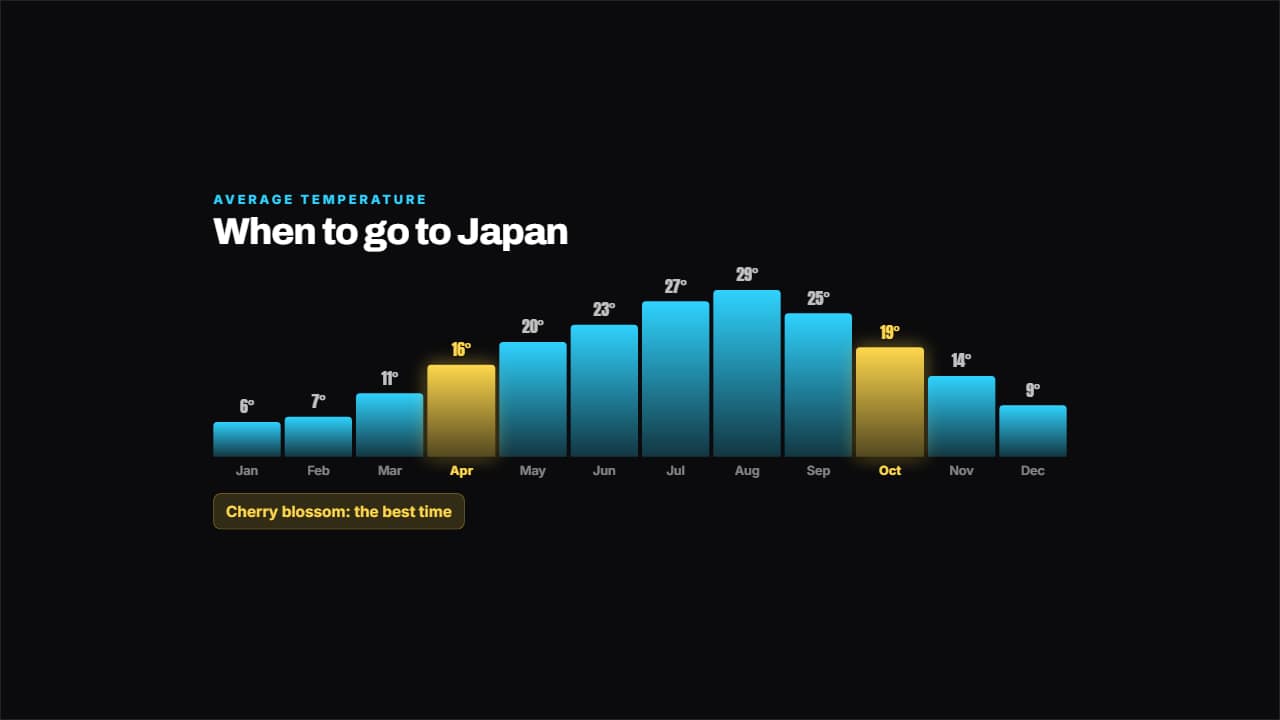 When to goTemperature month by month in bars, with the good months lit and their note.
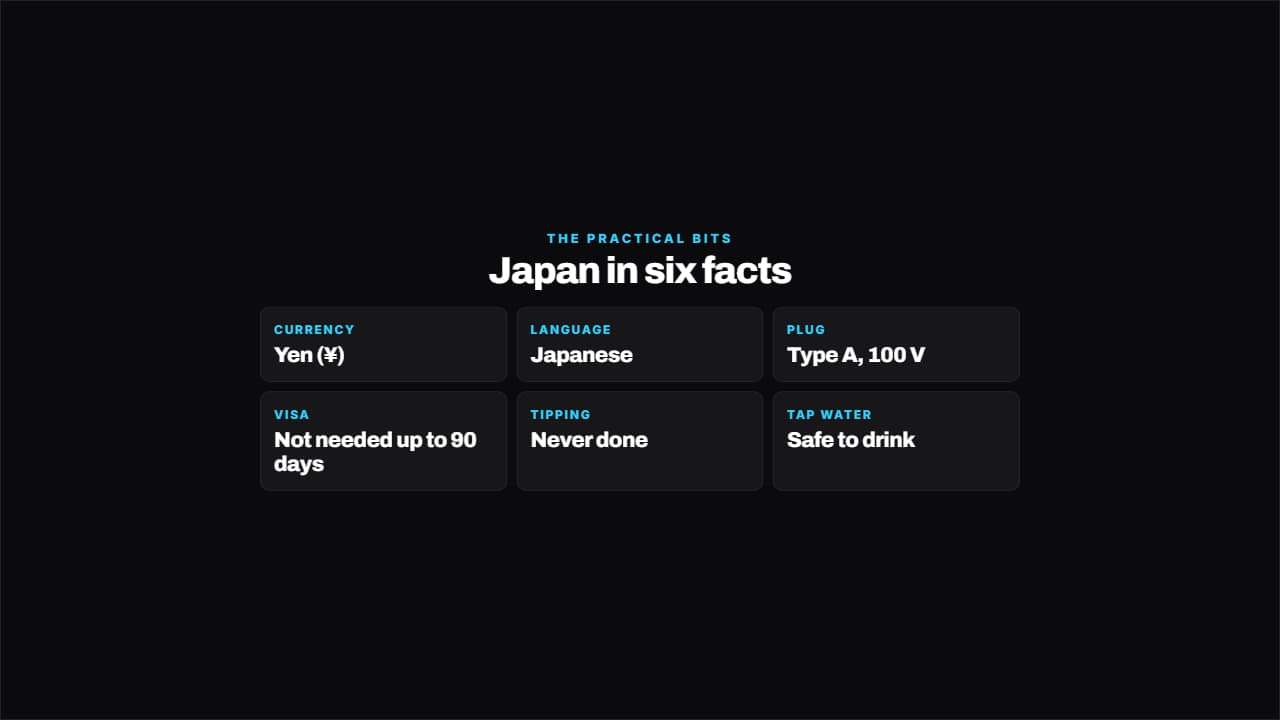 Destination cardCurrency, language, plug, visa, tipping, tap water: the practical details people look up before going, on…
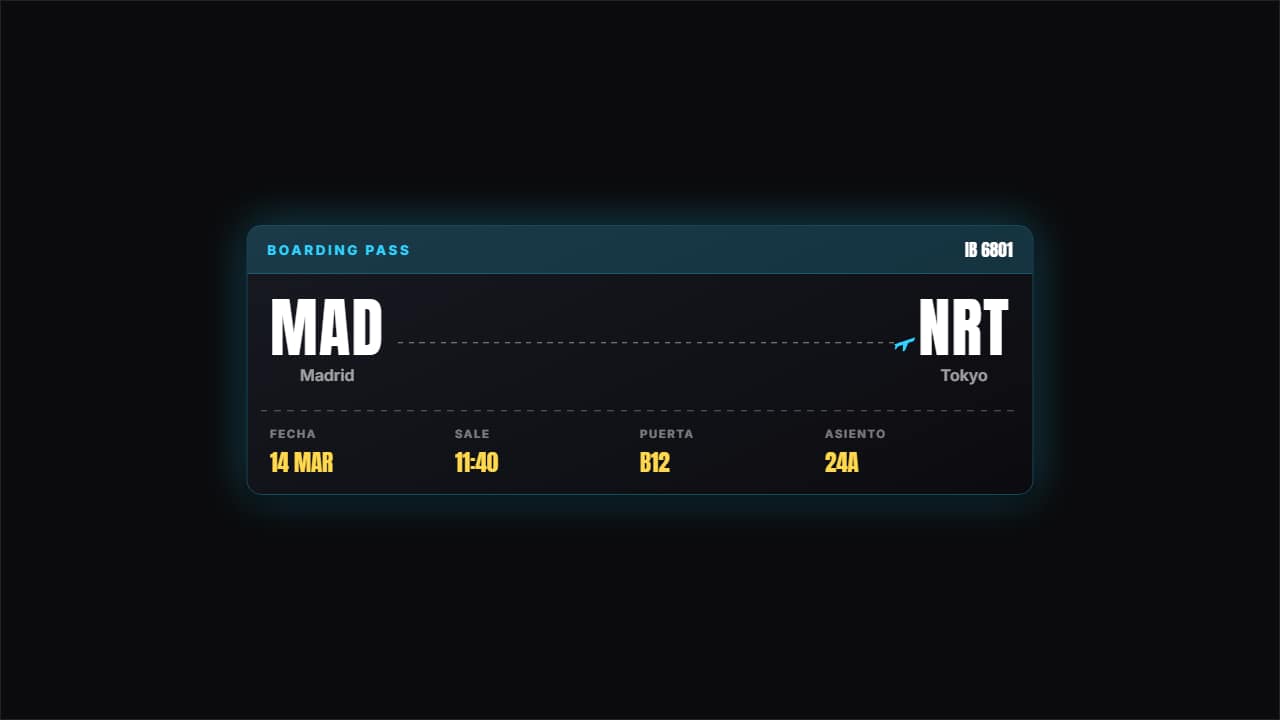 Boarding passThe two airport codes large with the plane traveling the dotted line, the ticket perforation and the flight…
 Journey badgeOrigin, destination, distance and duration on a badge you drop over the shot of the plane or the train.
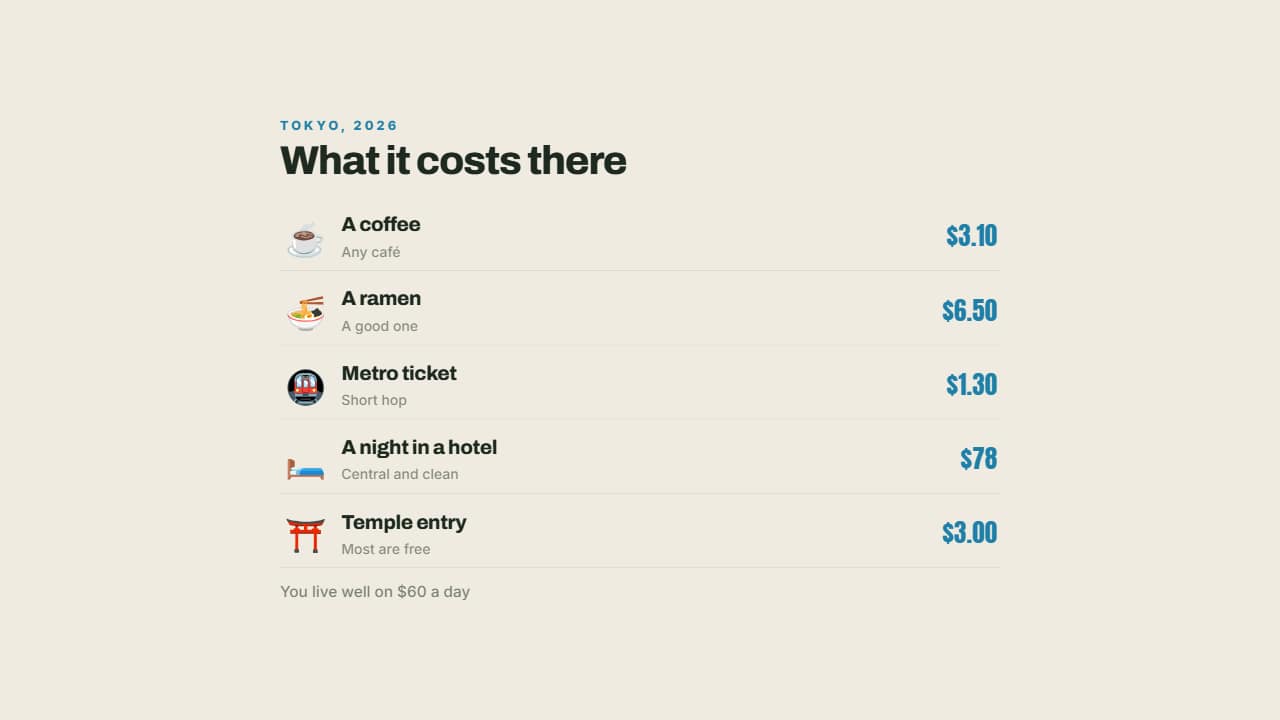 What it costs thereA coffee, the metro, a dinner, a night in a hotel: each with its emoji and its price aligned right.
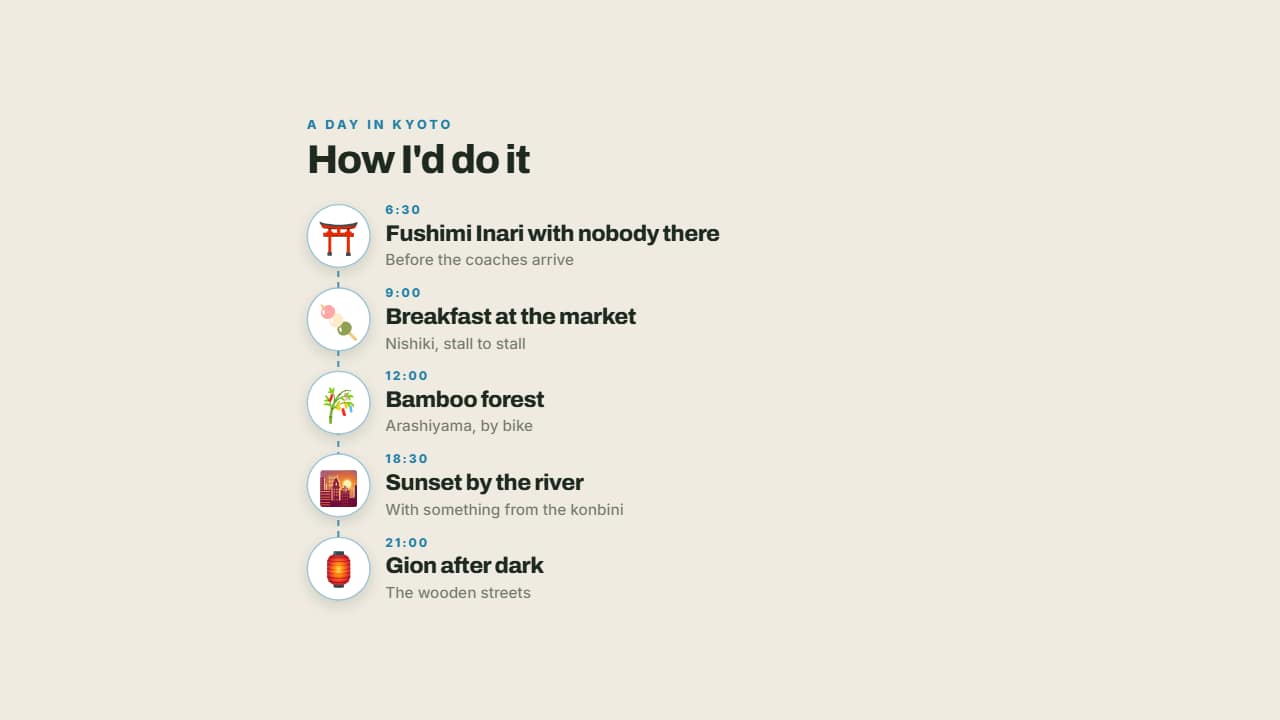 The perfect dayMorning, midday, afternoon and night on a line with their emoji: a day's itinerary told the way it's lived…
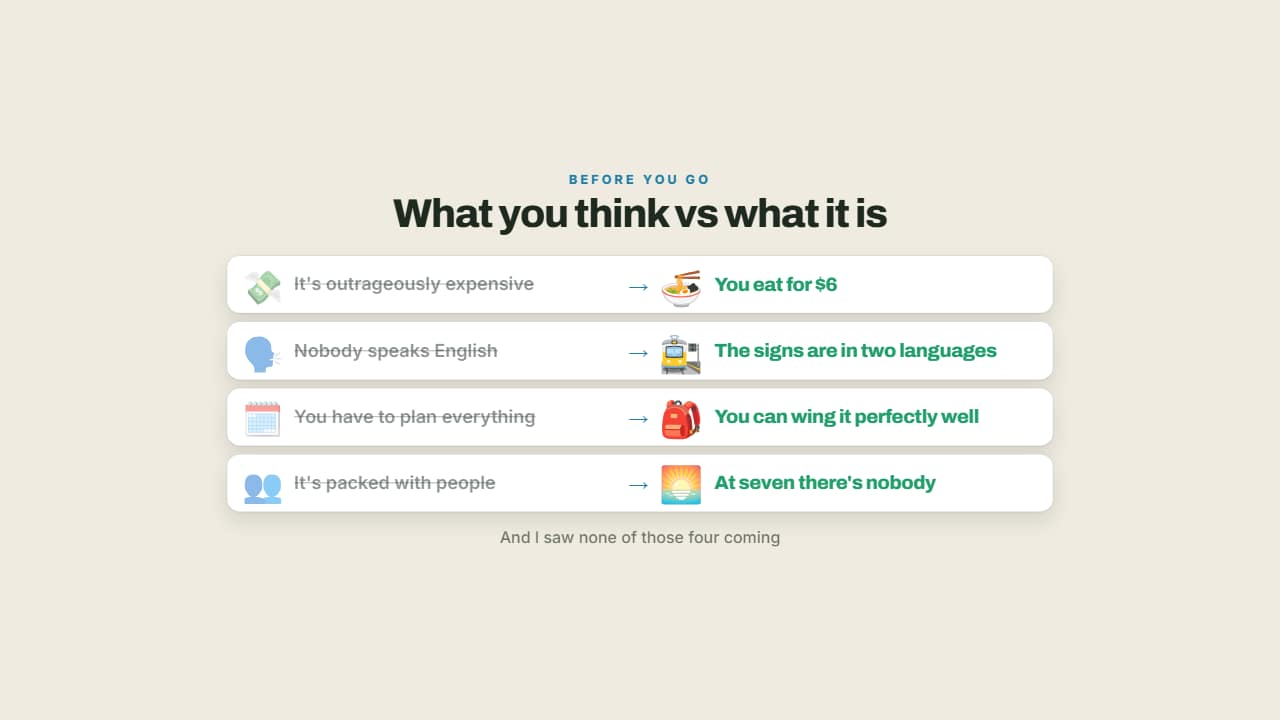 What you think vs what it isThe idea everyone arrives with, crossed out on the left, and the reality lit up on the right.
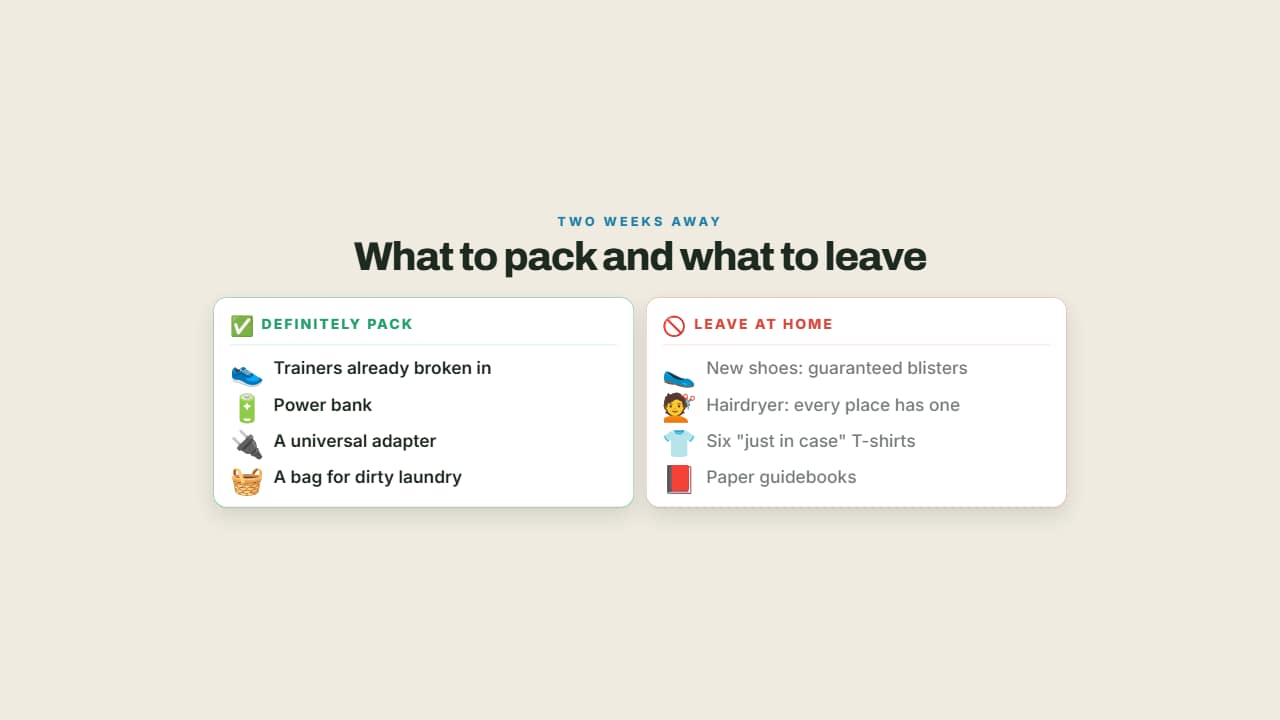 What to pack and what not toTwo columns: what you'll be glad you brought in green and what's dead weight in red.
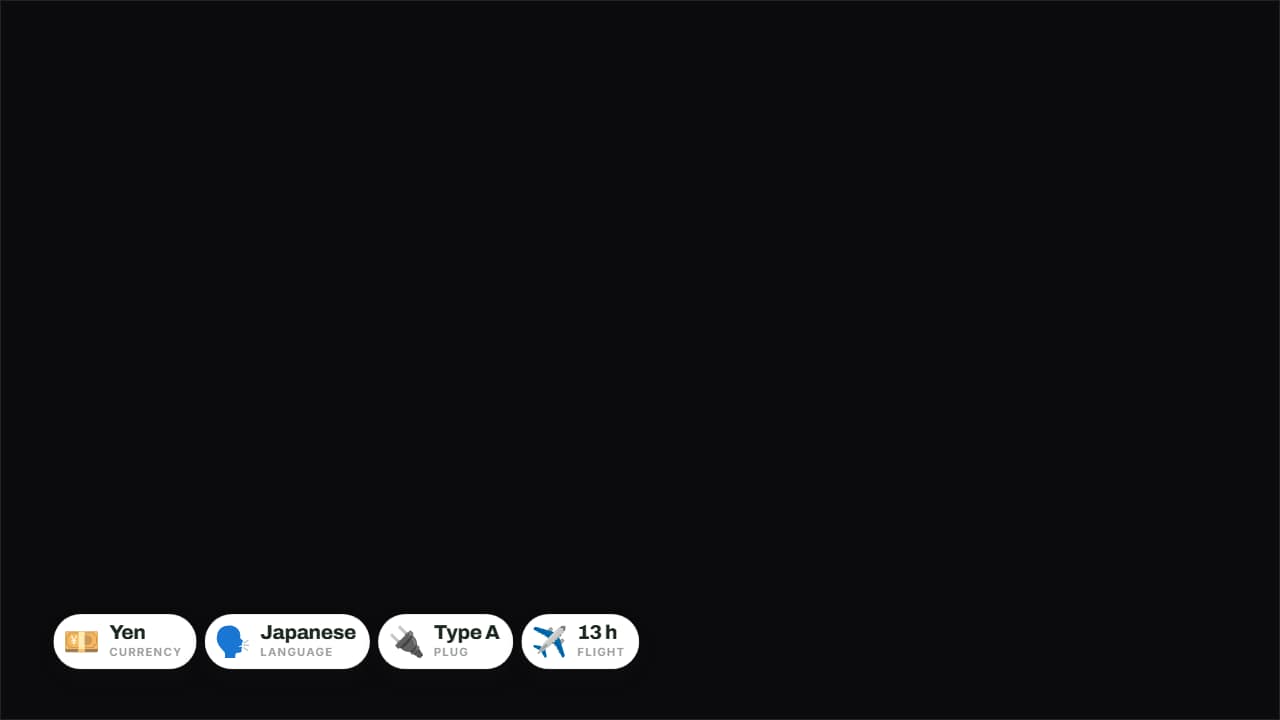 The destination in four badgesCurrency, language, plug and flight time on badges over the image.
Questions
- Can I show the route of my trip on a map?
- Yes, with the animated map templates: the multi-stop itinerary, the flight route or the trip with an avatar walking between stops.
- Can I change the currency in the budget?
- Yes. You type the amounts and the currency symbol.
- Do I need After Effects?
- No. Every template is edited in your browser: type your text, choose colors and format (16:9, 9:16 or 1:1), watch the live preview and export.
- What do I export, and does it work in my editor?
- Most templates export as a ProRes 4444 .mov with a transparent background, which you place on a track above your clip in CapCut, Premiere Pro, DaVinci Resolve or Final Cut Pro. You can also export an MP4 with your own clip behind it. Always in Full HD.
- Is it free?
- Editing and previewing are free and need no account. To export you sign in with Google; during the open beta, new accounts get export credits at no cost.