Personal Finance Video Templates — Budgets, Savings, Interest
Money videos are full of numbers, and these templates do the math for you. Compound interest is worked out year by year from what you put in and the rate; the debt plan simulates payments month by month with real interest to show how long it takes; the breakdown adds up its own total.
There is a budget ring with each item's percentage, a savings goal with what is left, a price comparison that lights up the cheapest option and a badge that turns a small subscription into its yearly cost. For deals, a struck-through price and the new one, and a counter that keeps adding up what you spend.
9 templates · 16:9 · 9:16 · 1:1Open them in the library
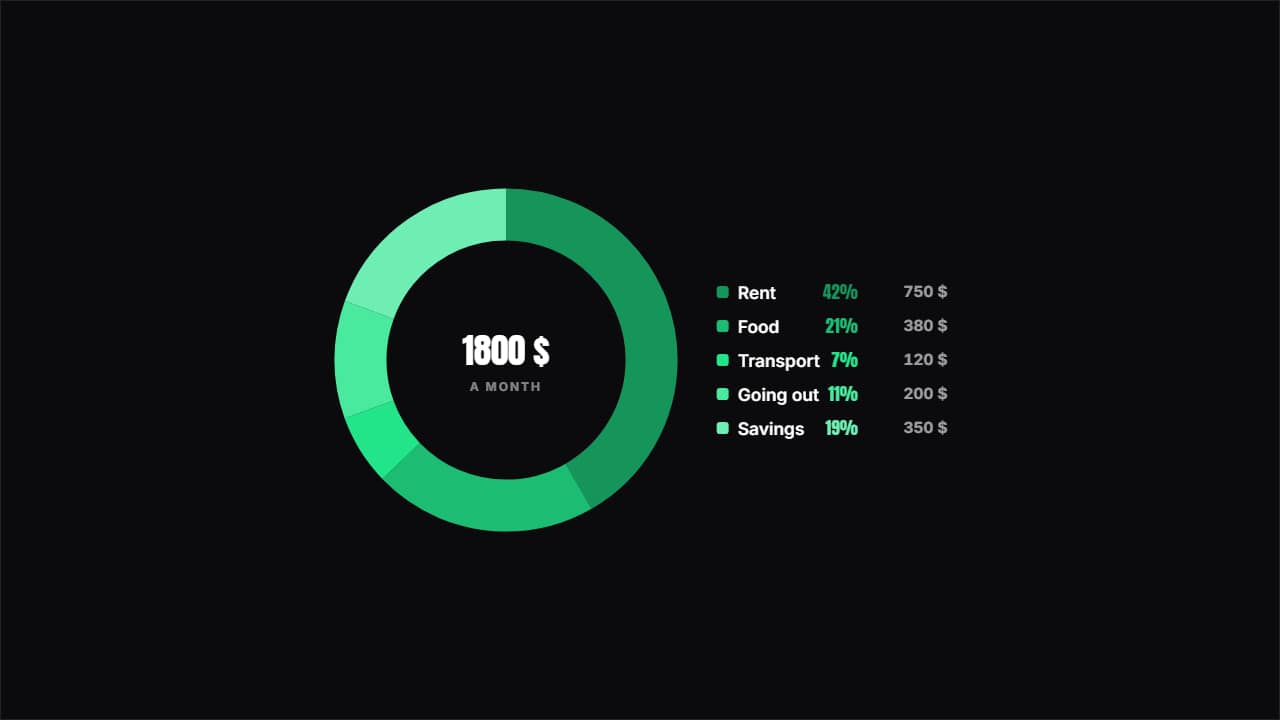 Where the money goesA ring with the split and the key beside it showing each item's percentage and amount.
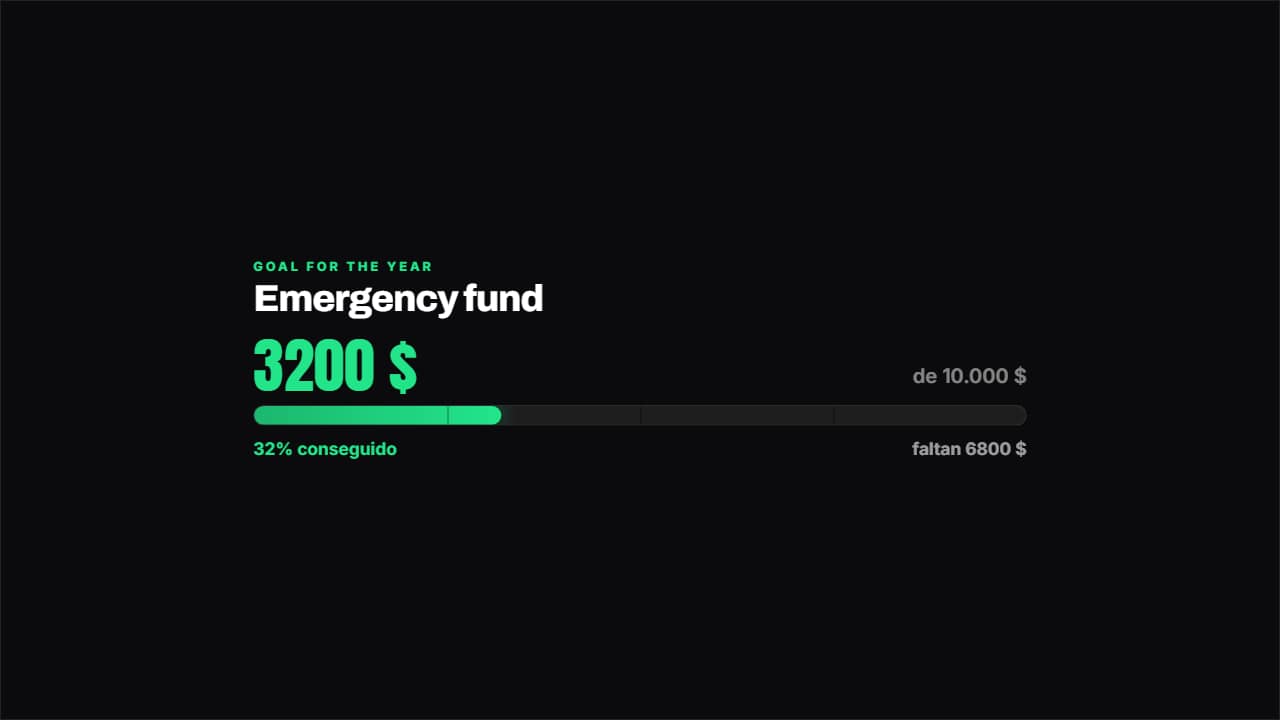 Savings goalHow much you've got, how much is left and what percentage that is, with the bar marked in quarters.
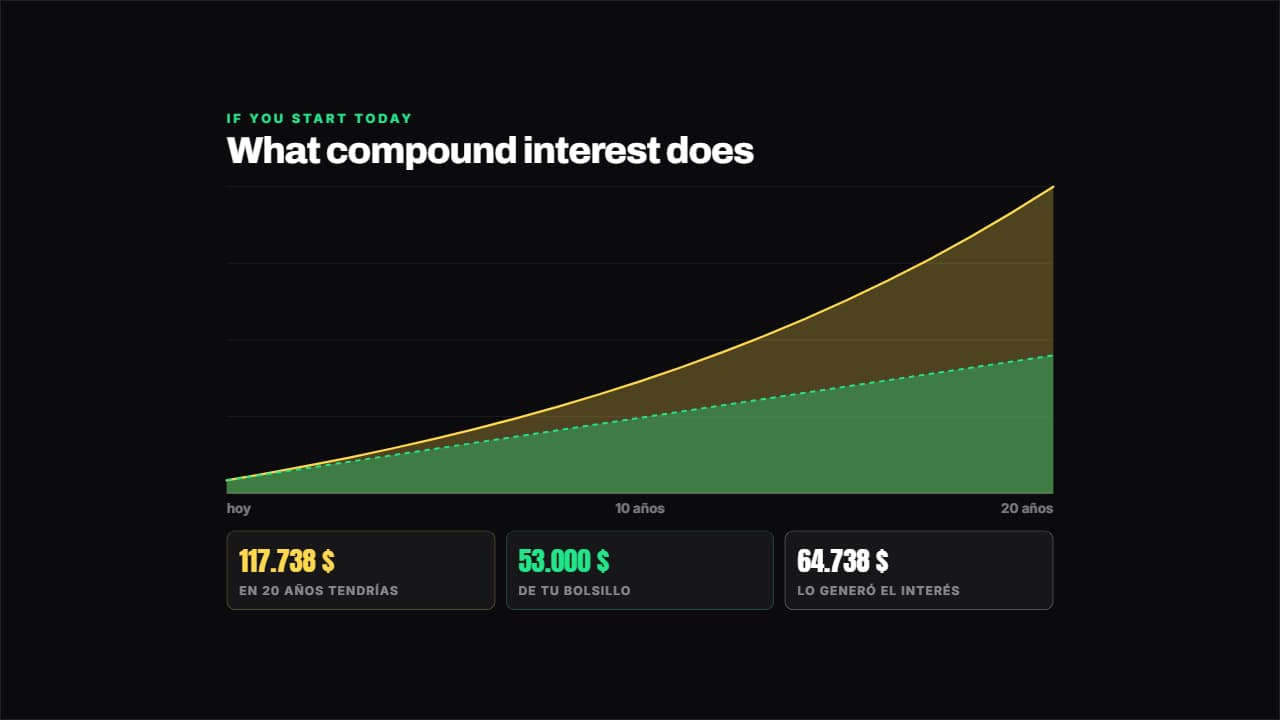 Compound interestWorked out year by year from your numbers: what you put in out of your own pocket goes in one layer and what…
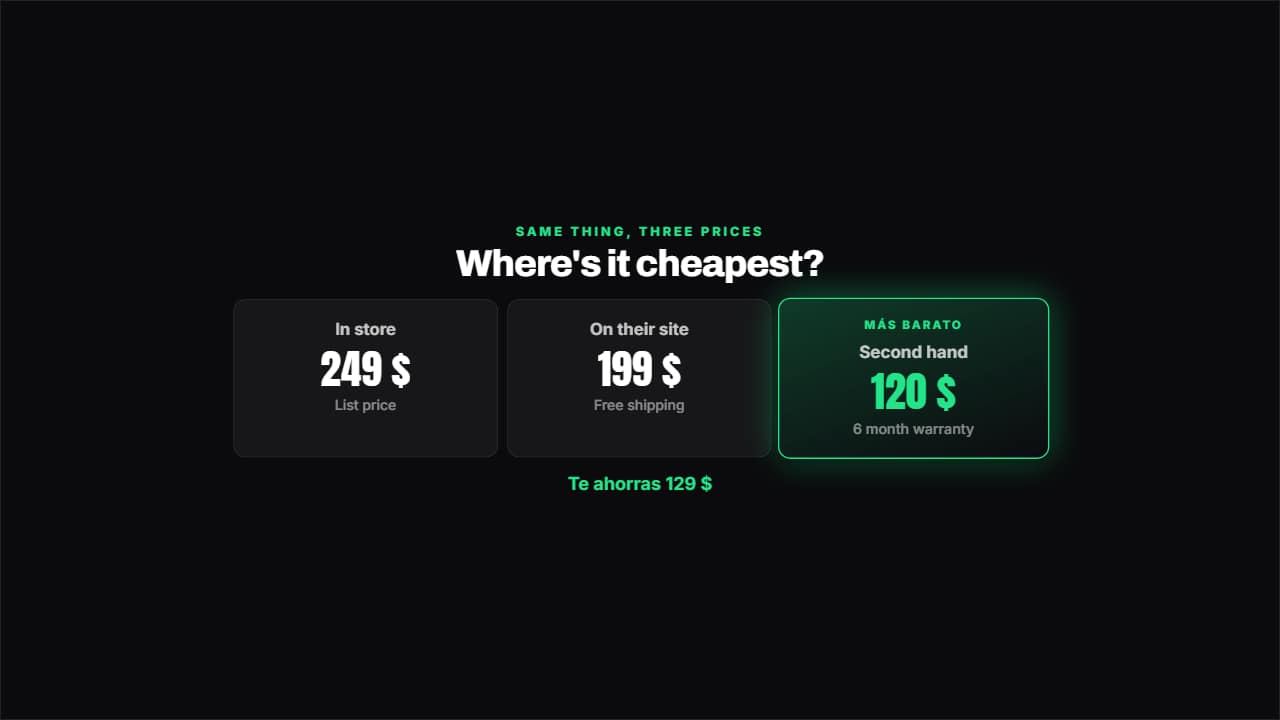 Price comparisonTwo, three or four options side by side: the cheapest lights up on its own and underneath you get how much…
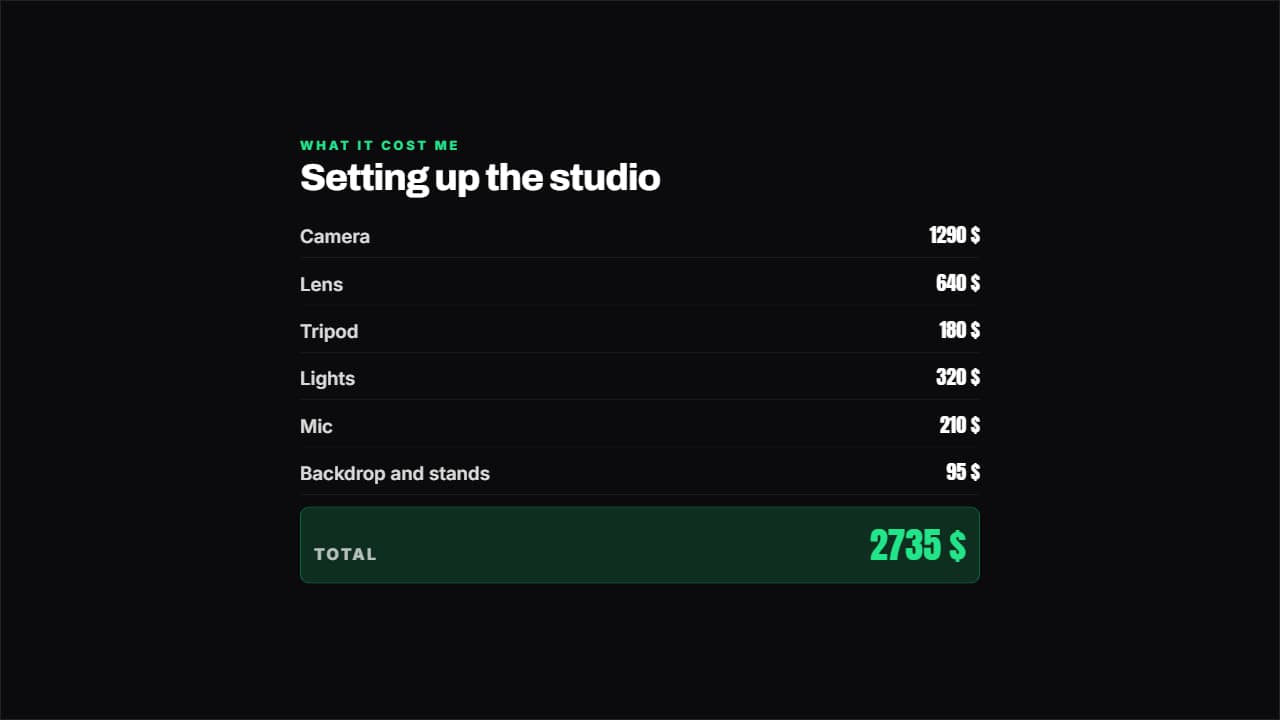 Breakdown with totalItems and amounts like an invoice, and the total ADDS ITSELF UP.
 Per month and per yearThe badge that turns a small subscription into the figure that stings: the monthly amount next to the yearly…
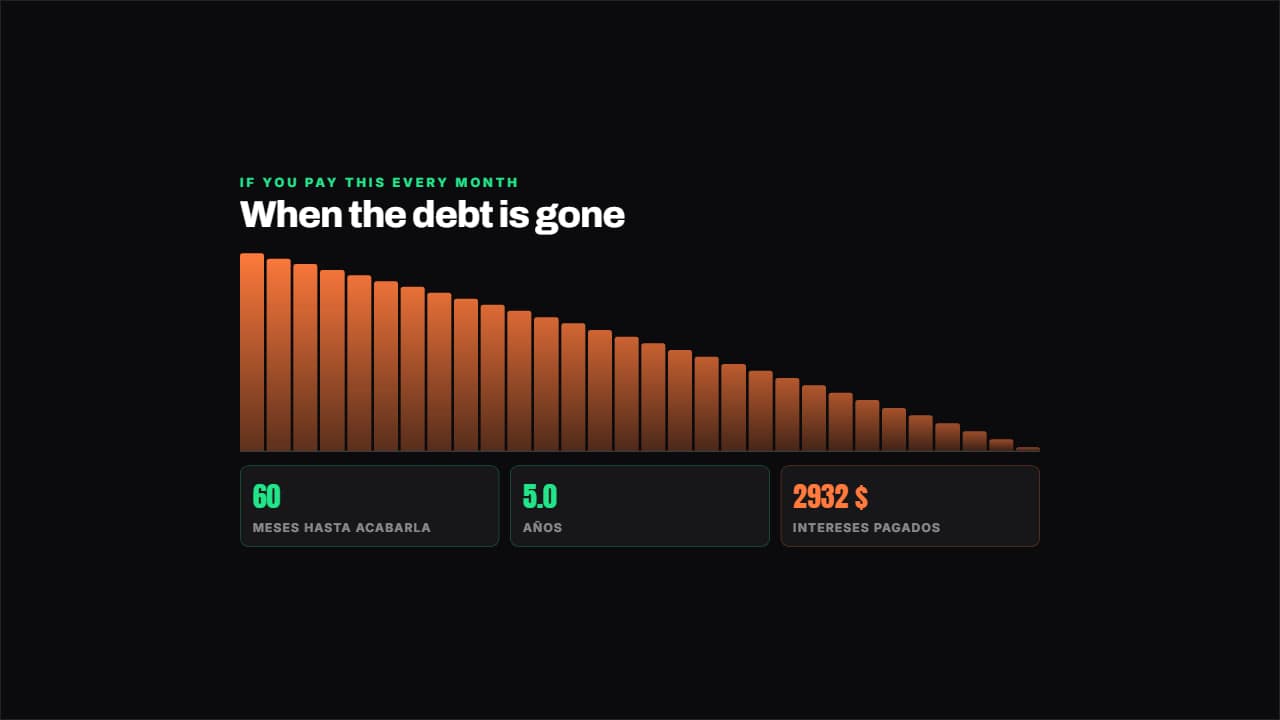 Plan to clear a debtSimulates the payments month by month with the real interest: how many months are left, how many years that…
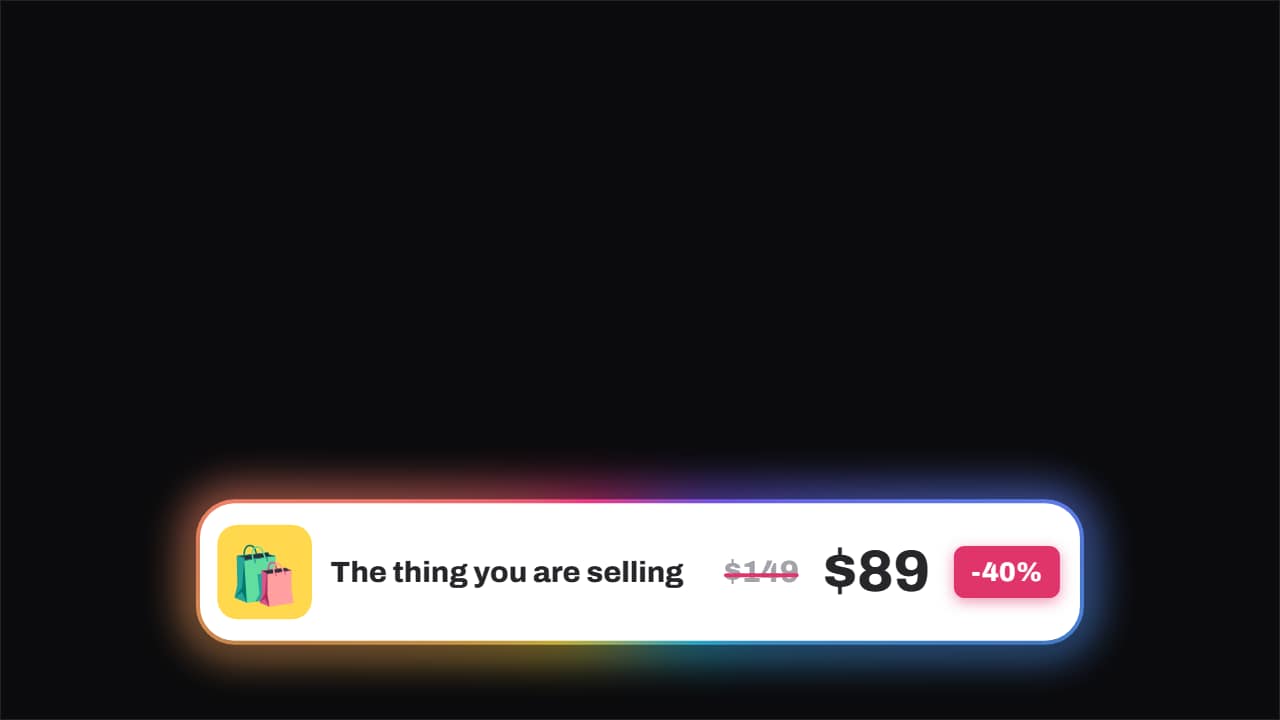 Price · struck through, and the new one slamsThe old price gets struck through by a line that draws itself and, a beat later, the new one slams in beside…
 How much you've spentThe corner badge that keeps adding up while you buy: you show the plate, the total climbs.
Questions
- Are the calculations done for me?
- Yes. Compound interest, debt payoff, totals and percentages are calculated from the numbers you type. Check that the inputs are right: the template computes, it does not advise.
- Can I change the currency?
- Yes. The currency symbol and its position, before or after the number, are fields.
- Do I need After Effects?
- No. Every template is edited in your browser: type your text, choose colors and format (16:9, 9:16 or 1:1), watch the live preview and export.
- What do I export, and does it work in my editor?
- Most templates export as a ProRes 4444 .mov with a transparent background, which you place on a track above your clip in CapCut, Premiere Pro, DaVinci Resolve or Final Cut Pro. You can also export an MP4 with your own clip behind it. Always in Full HD.
- Is it free?
- Editing and previewing are free and need no account. To export you sign in with Google; during the open beta, new accounts get export credits at no cost.