Aspect ratio1920×1080this is how it downloads
Preview doesn't change the file
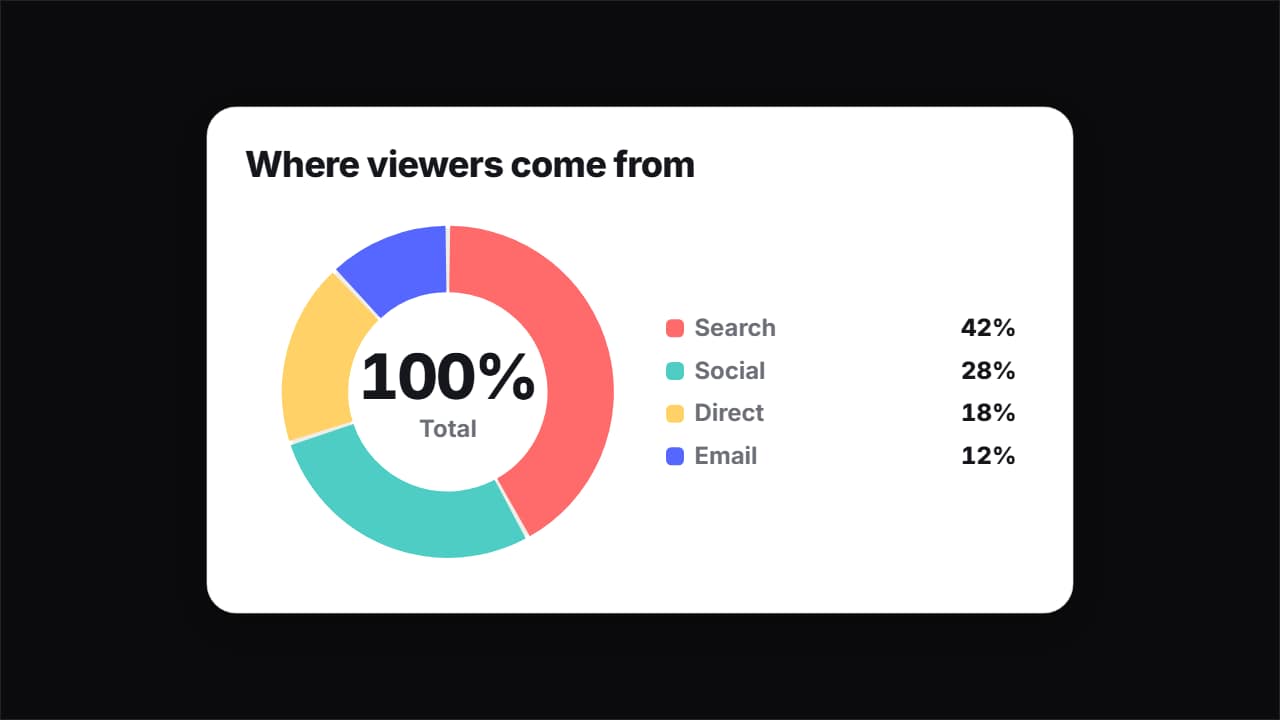
You'll download 1920×1080, 3.5 s, with no background (.mov).
BetaFree during the beta: create an account and export at no cost. No credit card.How it works →Free during the beta · no card →
You'll download 1920×1080, 3.5 s, with no background (.mov).
Your data in a card with a selectable bounce (elastic, overshoot or bounce) and numbers that count linearly. Donut: each slice opens after the previous one with a bouncing thickness, the total counts in the middle and the legend comes in row by row. Line: it draws left to right, the area rises with a bounce, each point pops as the line passes and the last one gets a bubble with its number. Six-color palette starting with yours. Light, dark or glass.
Plus the typeface and an optional letter outline, in every template.
Export it without background and put it on a track above your clip: the animation plays over your video.
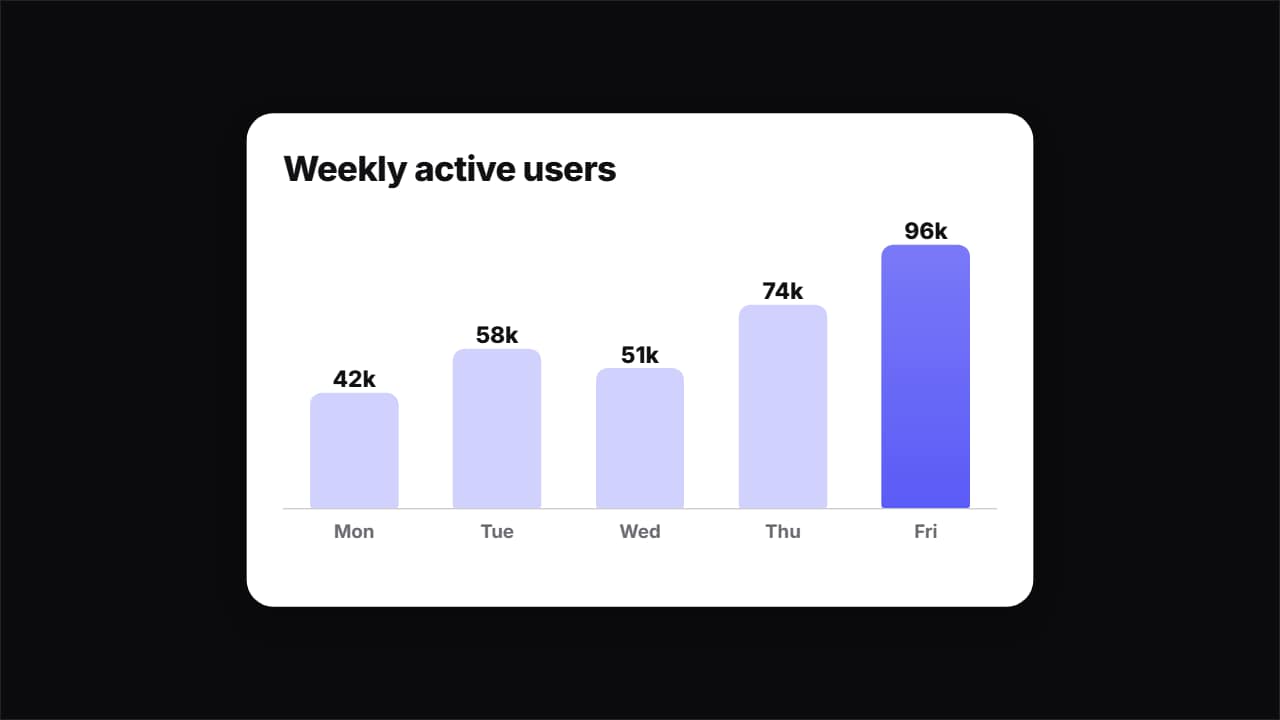 Bouncy chart: bars or ringsYour data in a chart with spring: bars growing one after another with counting figures, or concentric rings…
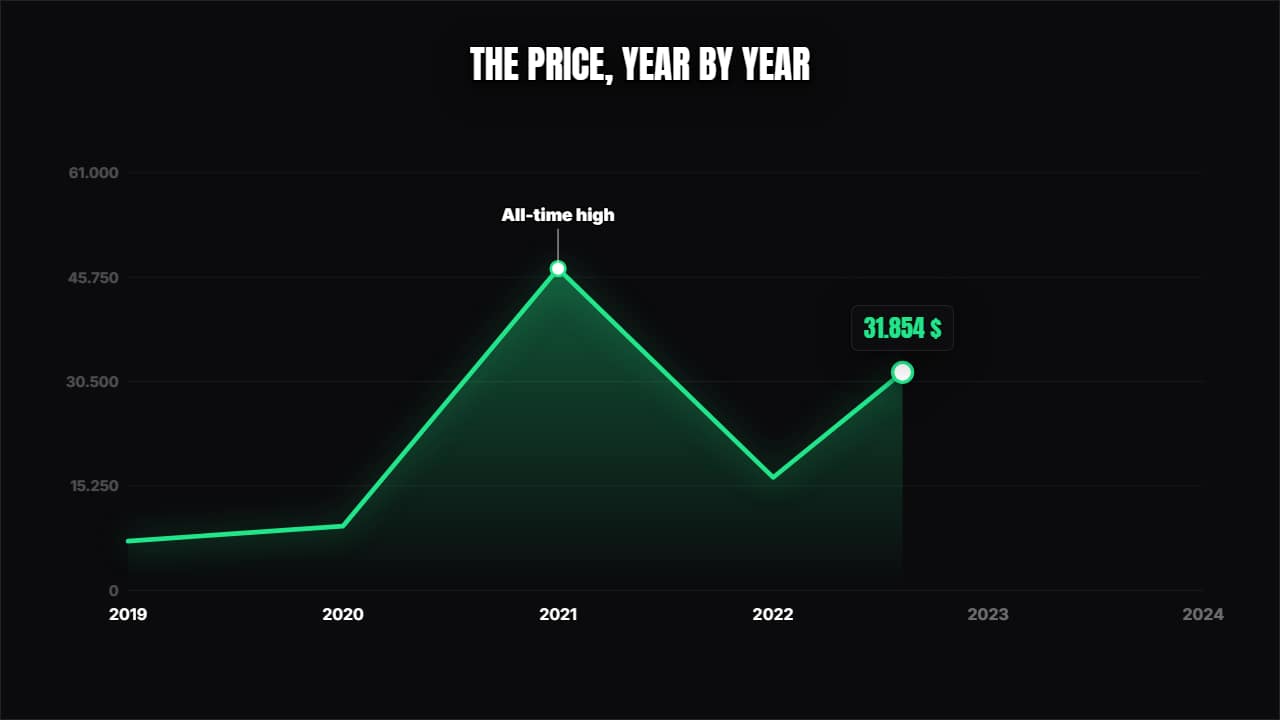 Line chartThe curve draws itself over its axes, a dot travels along showing the value and the annotations pop at the…
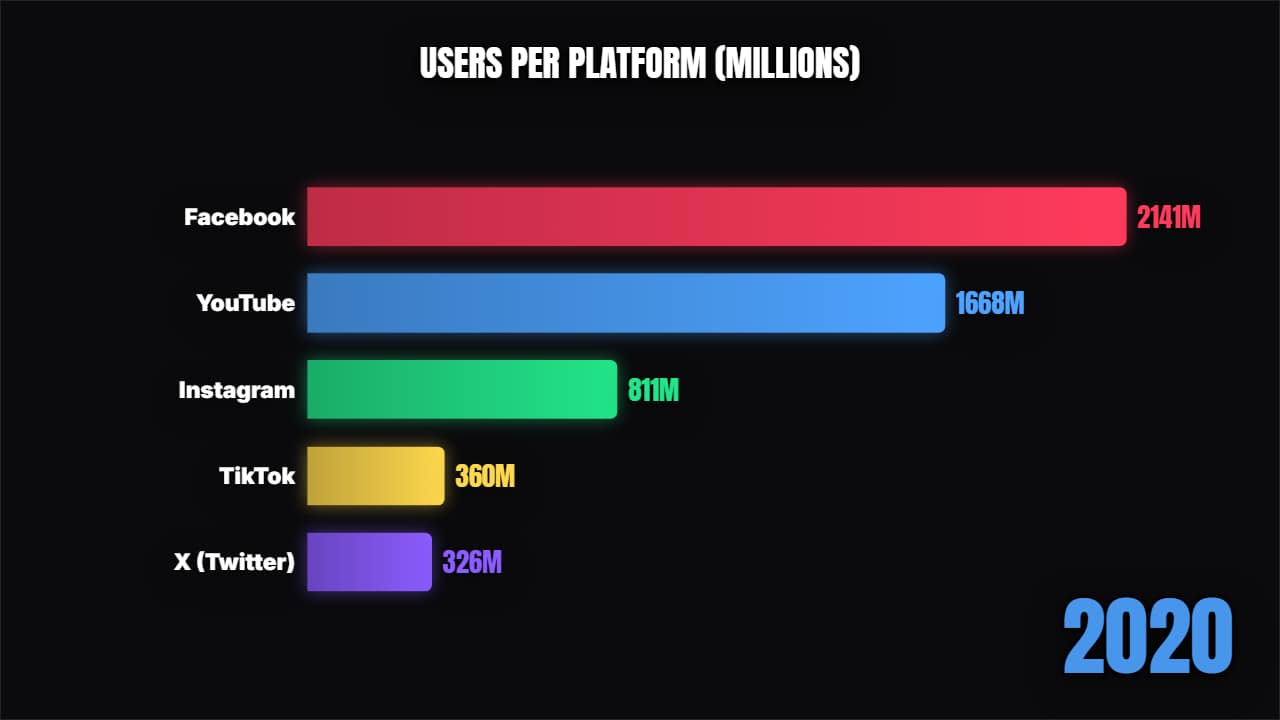 Bar chart raceA proper bar chart race: the bars grow and swap places period by period, with the year counting.
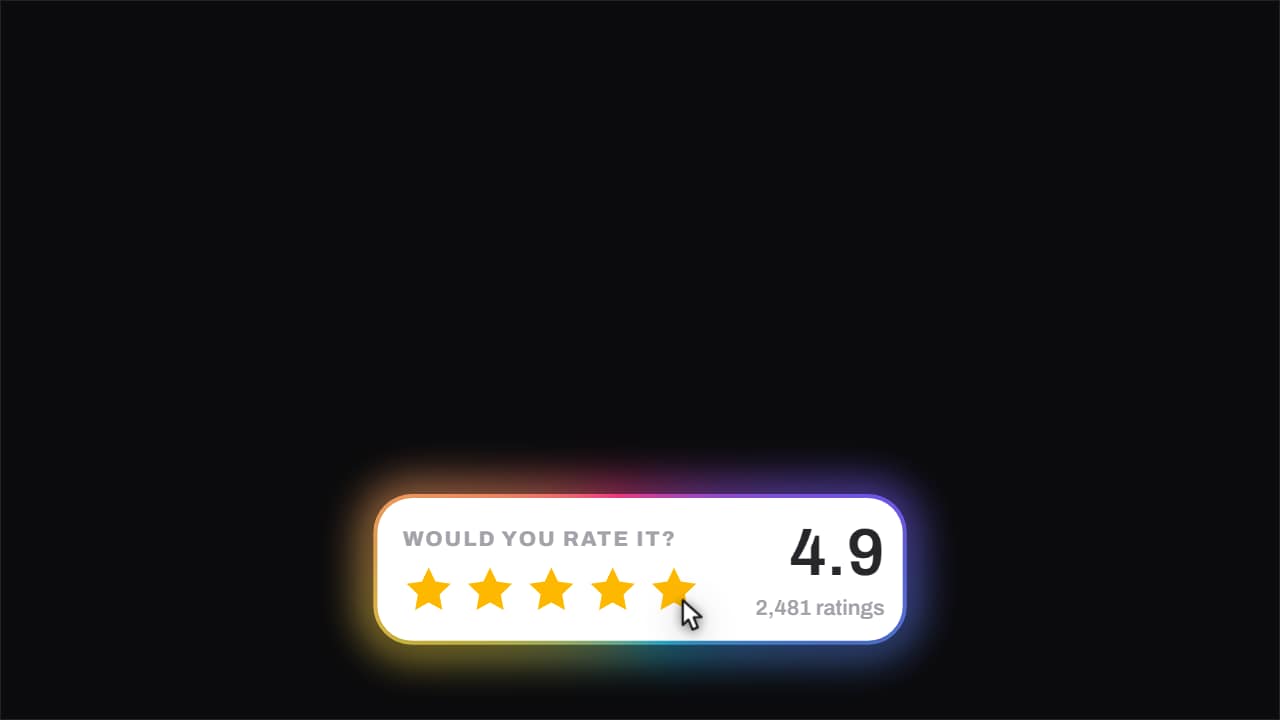 Stars · they fill under the cursorThe stars fill one at a time with the cursor riding across them, and when it ends the score rolls up to its…
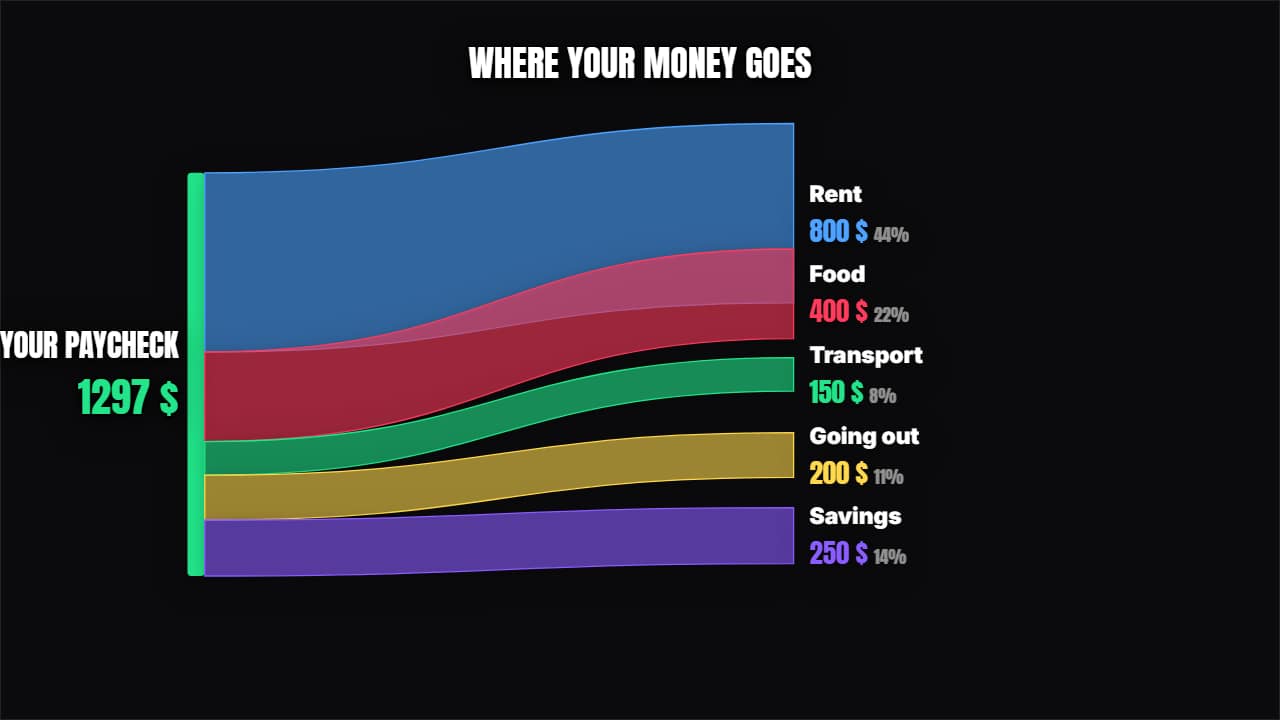 Where it comes from and where it goesRibbons of proportional thickness splitting the total between its destinations, with each one's percentage.
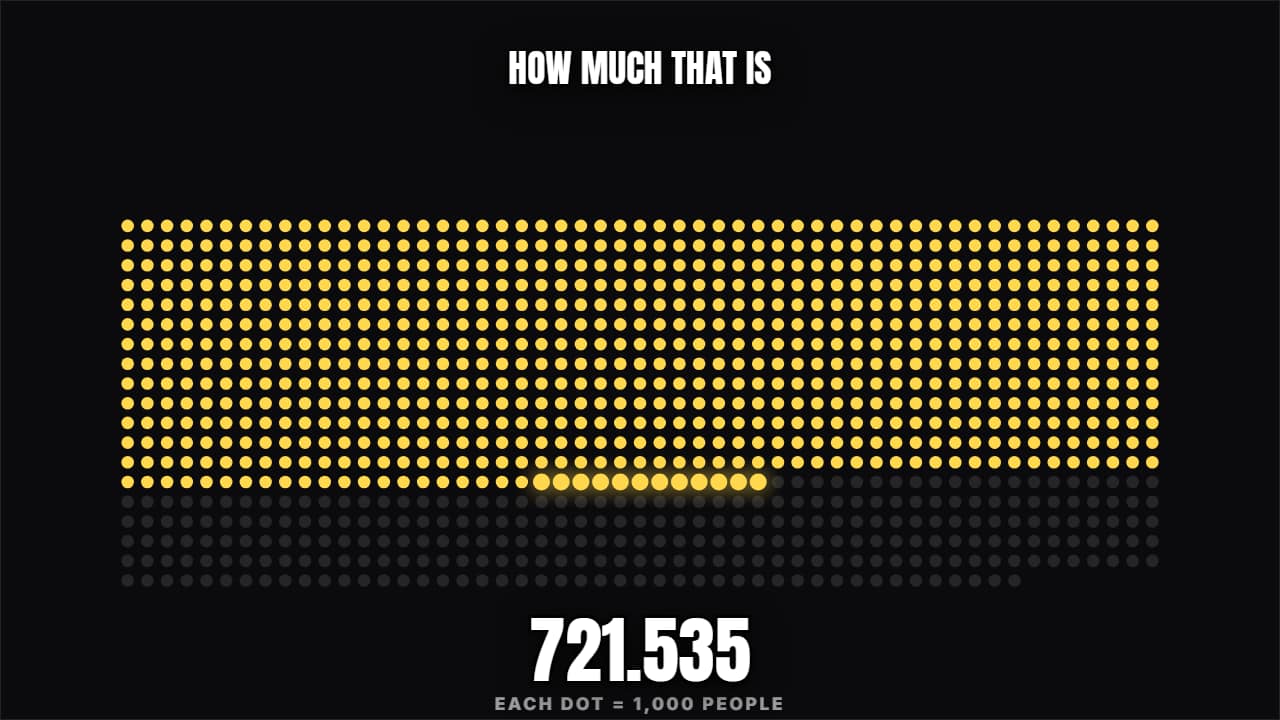 How much is that reallyA grid filling with dots (or people) until the figure genuinely lands. "3 in 10" or "this is a million".
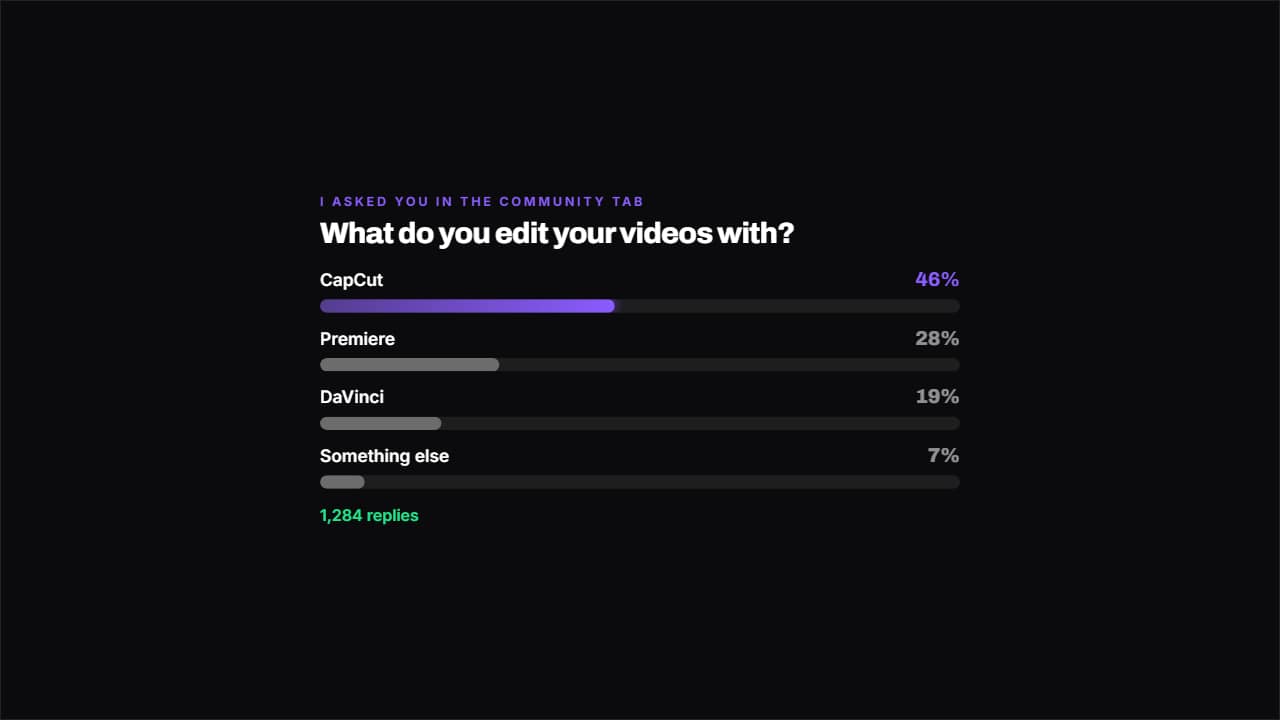 Poll resultThe bars fill with each option's percentage and the most voted one keeps the color.
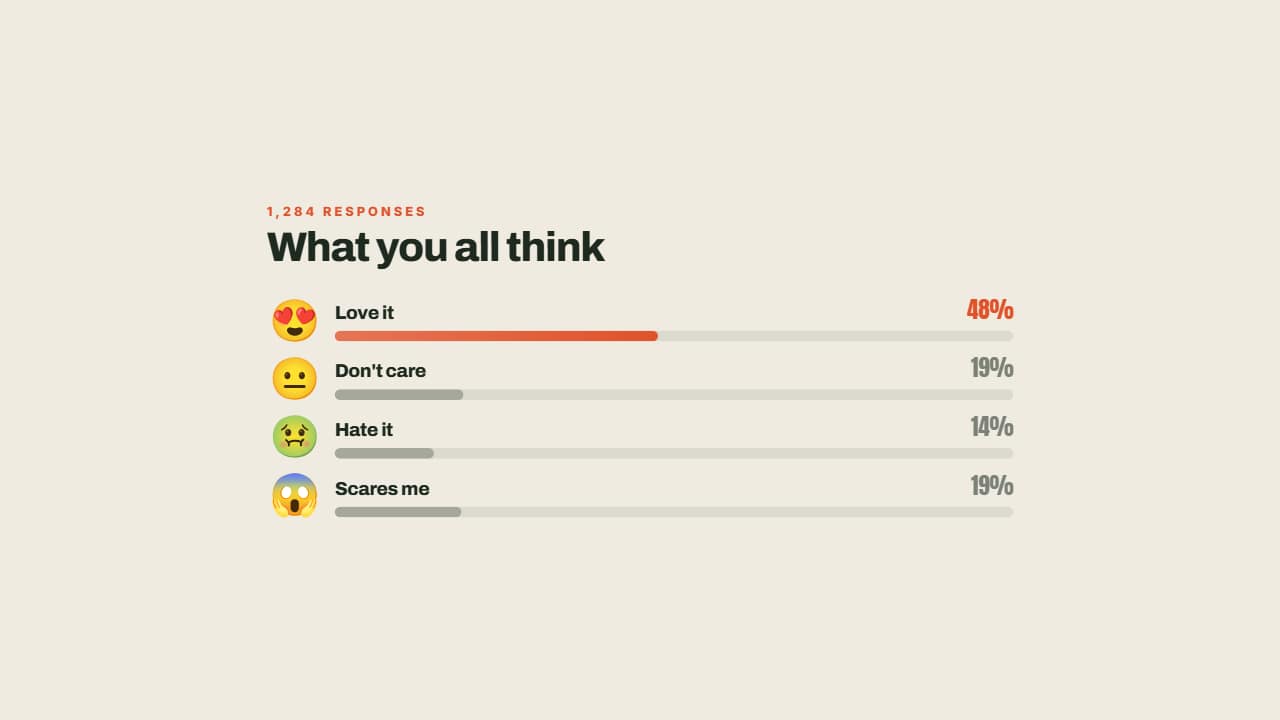 Reactions in percentagesEach reaction with its face, its bar growing and its percentage worked out from the total: you type the raw…